Today
The screen to look at first. It gathers what needs attention today, such as expired materials, materials to review for reorder, and formulas short of stock, into one sentence and a ledger table.
What it does#
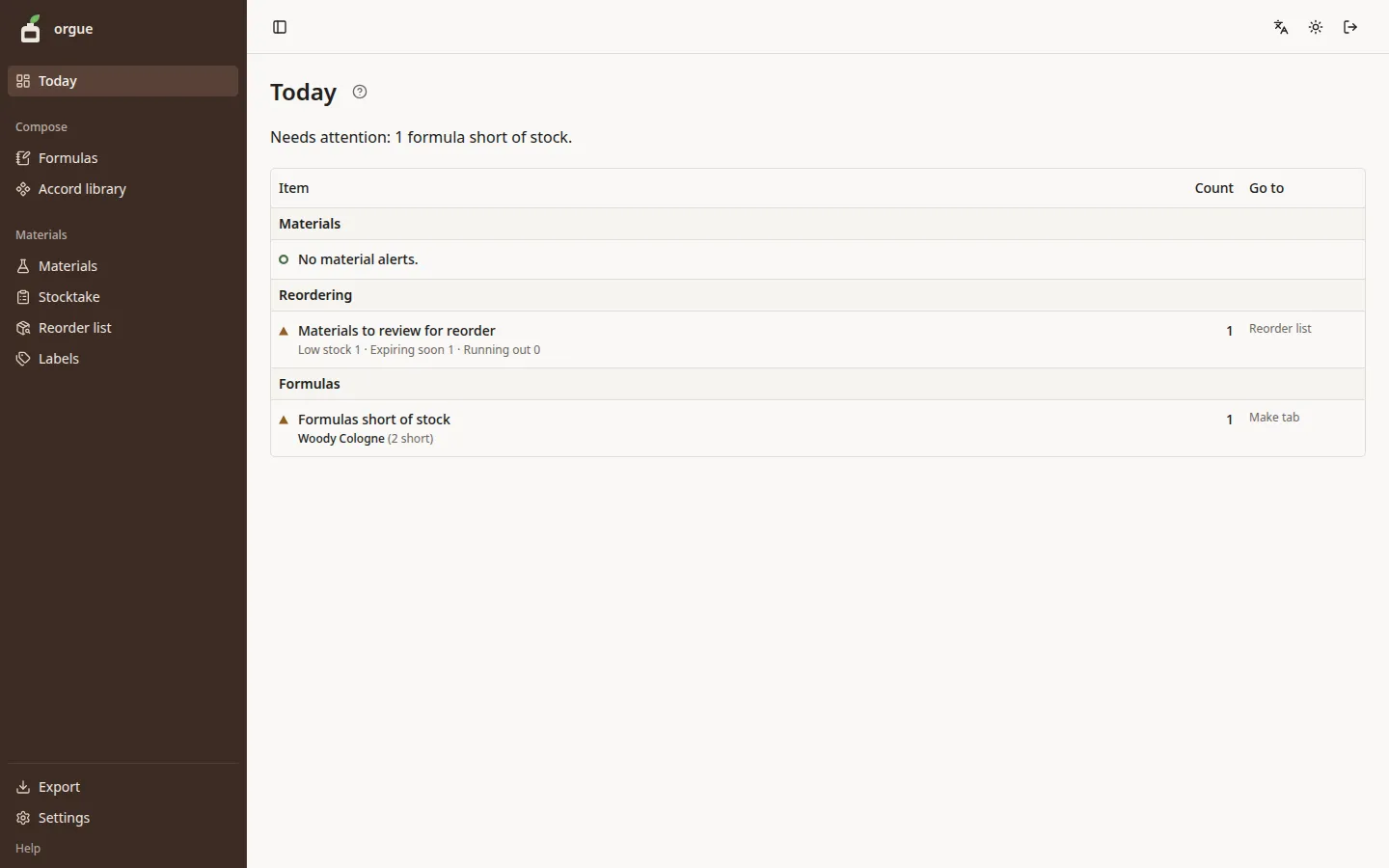
Today is the way into the ledger's alerts and your next tasks. A single line at the top summarizes the number of alerts, with one ledger table below it. Press a row in the table to go to the screen where you can clear that alert.
Reading the ledger table#
The table has three columns, Item, Count, and Go to, and is divided into three groups.
| Group | What appears | Goes to |
|---|---|---|
| Materials | Materials that have a bottle past its expiry date | Reorder list |
| Reordering | The number of materials to review for reorder, picked up as low stock, expiring soon, or running out | Reorder list |
| Formulas | The 3 most recent makes, formulas short of stock, library accords with unfinalized changes, and formulas with no version for 30 days or more | Make tab · Design tab · Accord library |
- A group with no alerts shows a green ring and a single line such as “No material alerts.”
- A kind with a count of 0 doesn't appear as a row
- Press a group heading (“Reordering” or “Formulas”) to open that screen's list
Steps#
- Use the line at the top to see how many alerts there are today
- Press a row you care about and clear it on that screen (for a formula short of stock, prepare on the Make tab; for materials to review for reorder, use the Reorder list)
- When you return to Today, the rows you cleared are gone
Common snags#
- “Formulas short of stock” is the shortage when the draft you have open is made at the formula's number of bottles. To make a different number, enter it again in Prepare on the Make tab and whether there is enough will change
- “Formulas with no version for 30 days or more” counts from the day the formula was last saved. Archived formulas aren't counted
When you open it for the first time#
While the ledger is empty, one sentence about the next step and a single button appear in place of the ledger table. As you go on, it changes to the next step.
- 0 materials: “Register materials” takes you to Intake. “Browse the data bank” lets you import materials from the data bank instead
- Materials but 0 bottles: “Enter bottle amounts” takes you to Initial amounts
- Bottles but 0 formulas: “New formula” lets you create a formula
Once you create one formula, the usual ledger table takes over. The first steps are in Getting started.